

TextSniper Lifetime Deal: A Smart OCR Solution for Everyone

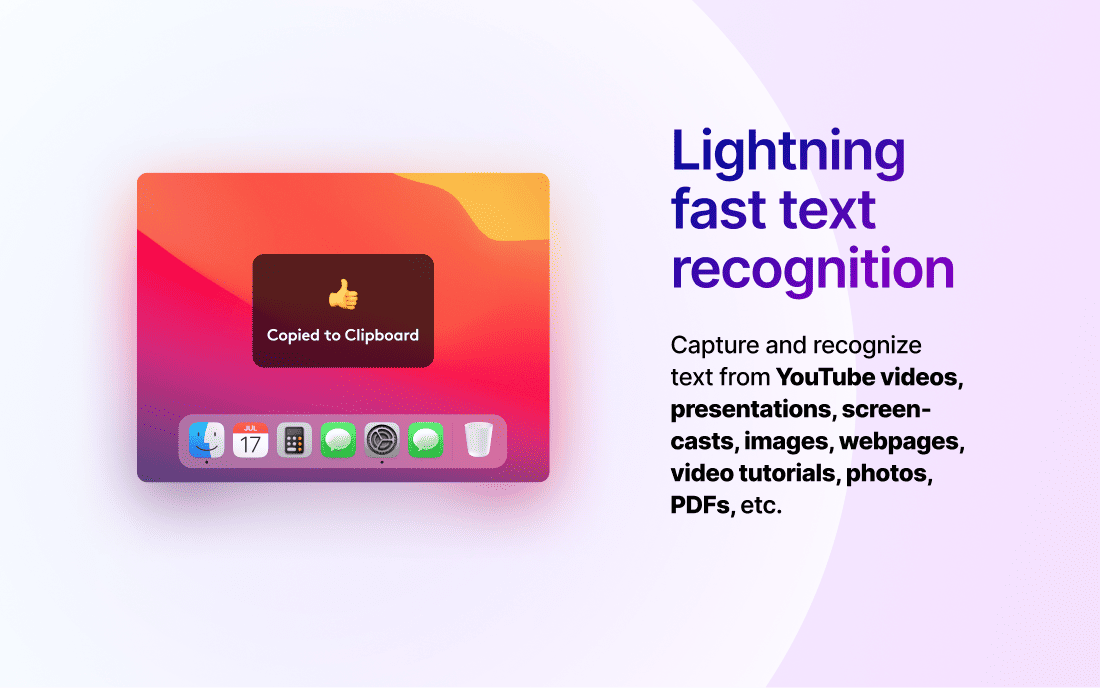
Imagine an app that can quickly extract text from images, PDFs, slides, Zoom calls, or even YouTube videos. That’s what TextSniper offers.
It’s a user-friendly OCR (Optical Character Recognition) app designed to simplify your life. TextSniper – OCR Simplified is all about efficiency. It allows you to convert screenshots into editable text, saving you time and effort. With advanced OCR technology, it ensures fast and accurate text recognition.
The app even includes text-to-speech functionality and can scan QR codes and barcodes. Privacy is a priority with TextSniper, as all text recognition is processed on your device, without collecting user data. Available for a one-time payment of $6.49, this lifetime deal is an incredible offer. To learn more and grab this deal, visit the TextSniper Lifetime Deal page.
Introduction To Textsniper And Its Purpose

TextSniper is an OCR (Optical Character Recognition) app that simplifies text extraction. It transforms screenshots from images, PDFs, slides, Zoom calls, or YouTube videos into editable text. This versatile tool is designed to save time and increase productivity.
What Is Textsniper?
TextSniper – OCR Simplified is an easy-to-use application. It uses advanced OCR technology to recognize and extract text. The app supports various sources, including images, PDFs, slides, Zoom calls, and YouTube videos. It also offers text-to-speech functionality, QR code and barcode scanning, and customizable shortcuts.
TextSniper operates offline, ensuring user privacy by processing data locally on the device. It supports multiple languages including English, German, French, Spanish, Portuguese, Italian, and Chinese on macOS Big Sur. On macOS Catalina, it supports English only.
How Textsniper Streamlines Text Extraction
TextSniper makes text extraction fast and accurate. It eliminates the need for manual retyping, thus saving time and effort. Here are some key features that streamline the process:
- Fast and accurate text recognition using advanced OCR technology.
- Extract text from any screen content, including images, PDFs, and video frames.
- Text-to-speech functionality enhances accessibility for users with visual impairments.
- Customizable shortcuts for quick access and operation.
- Privacy-focused; all text recognition is processed locally on the device.
- Offline mode; no internet connection required.
The lifetime deal offers a one-time payment of $6.49, which is affordable and includes all future updates to the TextSniper – OCR Simplified Plan. Users also receive a 60-day money-back guarantee, providing ample time to evaluate the product. Support is available via 24-hour email, and the license covers up to three Macs.
| Feature | Description |
|---|---|
| Advanced OCR Technology | Fast and accurate text extraction from various sources |
| Text-to-Speech | Convert recognized text to speech for better accessibility |
| QR and Barcode Scanning | Scan and extract information from QR codes and barcodes |
| Offline Mode | Process text recognition without an internet connection |
| Multi-language Support | Supports various languages on macOS Big Sur |
TextSniper is compatible with macOS 10.15 (Catalina) and higher, supporting both Intel and Apple M1 silicon Macs. Its user-friendly interface and wide range of features make it an essential tool for anyone needing quick and reliable text extraction.
Key Features Of Textsniper

TextSniper – OCR Simplified is a powerful tool that extracts text from images, PDFs, slides, Zoom calls, and YouTube videos. Below are its key features:
Screenshot Text Extraction
TextSniper allows users to extract text from any screen content. This includes images, PDFs, slides, Zoom calls, and YouTube videos. The process is quick and accurate, saving time and effort.
Real-time Ocr Capabilities
With TextSniper, real-time OCR capabilities provide fast and accurate text recognition. This feature is crucial for those who need to convert screenshots into editable text quickly.
Multi-language Support
TextSniper supports multiple languages, including English, German, French, Spanish, Portuguese, Italian, and Chinese. This feature is available on macOS Big Sur. For Catalina users, only English is supported.
Offline Functionality
TextSniper operates offline, ensuring user privacy and data security. No internet connection is required for text recognition, and all data is processed locally on the device.
Additional Features:
- Text-to-speech functionality
- Ability to scan QR codes and barcodes
- Minimalistic, easy-to-use interface
- Customizable shortcuts
- Privacy-focused, no user data collection
Benefits:
- Saves time and effort
- Increases productivity
- Enhances accessibility
- Maintains user privacy
- Accommodates a diverse user base
Pricing Details:
| Price | $6.49 (original price $9.99) |
|---|
Refund or Return Policies:
60-day money-back guarantee. Try TextSniper for 2 months and receive a refund if not satisfied.
System Requirements:
- Compatible with macOS 10.15 (Catalina) and higher
- Supports Intel or Apple M1 silicon Macs
Support:
- 24-hour email support
- License for use on up to 3 Macs
Additional Information:
- Lifetime access to the TextSniper – OCR Simplified Plan
- Non-stackable deal
- All future updates to the TextSniper – OCR Simplified Plan included
Pricing And Affordability

Choosing an OCR app like TextSniper means considering its cost-effectiveness. Many users often balance between a lifetime deal and subscription-based models. Let’s dive into the affordability of TextSniper and how it compares to other options.
Understanding The Lifetime Deal
TextSniper offers a unique lifetime deal. For a one-time payment of $6.49 (original price $9.99), you gain lifetime access. This means no recurring payments, and you enjoy all future updates at no additional cost. The deal includes:
- Lifetime access to the TextSniper OCR Simplified Plan
- All future updates
- License for use on up to 3 Macs
- 60-day money-back guarantee
Comparing With Subscription-based Models
Subscription-based models often come with recurring costs, which can add up over time. Let’s compare TextSniper’s lifetime deal with typical subscription models:
| Feature | TextSniper Lifetime Deal | Subscription-Based Models |
|---|---|---|
| Cost | $6.49 one-time payment | $5-$10 per month |
| Updates | Included | Included during subscription |
| License | Up to 3 Macs | Often limited to 1 device |
| Refund Policy | 60-day money-back guarantee | Varies by provider |
The table highlights that TextSniper offers significant savings over time. While subscription models might seem affordable initially, their costs accumulate. With TextSniper, a one-time payment ensures you don’t face ongoing expenses.

Credit: www.linkedin.com
Pros And Cons Based On Real-world Usage

TextSniper – OCR Simplified offers a practical solution for text extraction from various digital sources. Here, we will explore its pros and cons based on real-world usage, providing a comprehensive look at its benefits and limitations.
Benefits: Efficiency And Accuracy
Efficiency: TextSniper saves significant time by eliminating the need to retype text from images, PDFs, and other sources. Users can quickly convert screenshots into editable text, boosting productivity.
Accuracy: The app boasts advanced OCR technology, ensuring fast and precise text recognition. This accuracy is crucial for tasks requiring exact text conversion.
Accessibility: With text-to-speech functionality, TextSniper enhances accessibility. Users can have recognized text read aloud, aiding those with visual impairments or reading difficulties.
Privacy: TextSniper processes data locally on the device, maintaining user privacy. No user data collection ensures complete confidentiality.
Multi-language Support: The app supports multiple languages, including English, German, French, Spanish, Portuguese, Italian, and Chinese (macOS Big Sur). This diversity caters to a broad user base.
| Feature | Benefit |
|---|---|
| Advanced OCR Technology | Fast and accurate text recognition |
| Text-to-Speech | Enhanced accessibility |
| Local Processing | Maintains user privacy |
| Multi-language Support | Accommodates diverse users |
Drawbacks: Limitations And Potential Improvements
Limitations: TextSniper is only compatible with macOS 10.15 (Catalina) and higher. This restricts its use to Mac users, excluding those on other operating systems.
Language Support: Multi-language support is limited to macOS Big Sur. On Catalina, only English is supported, which may not suffice for all users.
Interface: While minimalistic, the interface may lack advanced features some users desire. Customizable shortcuts are a plus but do not fully compensate for this limitation.
Offline Mode: Though beneficial, offline mode could be improved by integrating cloud-based options for more flexibility.
| Drawback | Potential Improvement |
|---|---|
| macOS Compatibility | Expand to other operating systems |
| Language Support on Catalina | Include more languages |
| Minimalistic Interface | Add advanced features |
| Offline Mode | Integrate cloud options |
Who Should Consider Textsniper?

TextSniper is a robust OCR (Optical Character Recognition) app designed to simplify the task of extracting text from various digital sources. But who exactly would benefit most from this tool? Let’s dive into the details.
Ideal Users And Scenarios
| Type of User | Why TextSniper is Ideal |
|---|---|
| Students | Saves time on note-taking and extracts text from study materials. |
| Researchers | Quickly captures text from papers, journals, and online resources. |
| Professionals | Efficiently extracts data from reports, PDFs, and presentations. |
| Language Learners | Supports multi-language text recognition, aiding in language studies. |
Use Cases: Academic, Professional, And Personal
TextSniper offers a wide range of applications across different fields. Here’s how it can be utilized in academic, professional, and personal scenarios:
- Academic Use: Students and teachers can extract text from images, PDFs, or slides. This is particularly useful for creating study guides or preparing for presentations.
- Professional Use: Business professionals can extract data from reports, invoices, and emails. This helps in organizing and managing information efficiently.
- Personal Use: Individuals can use TextSniper to capture text from recipes, articles, or even social media posts. This makes it easy to save and share useful information.
Whether you are a student, researcher, professional, or simply someone who needs to capture text from various digital sources, TextSniper offers a user-friendly and efficient solution.

Credit: www.youtube.com
Credit: dealmirror.com
Frequently Asked Questions
What Is Textsniper Lifetime Deal?
Textsniper Lifetime Deal is a one-time purchase. It allows you to use Textsniper software forever without recurring fees.
How Does Textsniper Work?
Textsniper captures text from images and documents. It uses OCR technology to extract and convert text into editable formats.
Is Textsniper Easy To Use?
Yes, Textsniper is user-friendly. It offers a simple interface. You can easily capture and convert text with a few clicks.
What Platforms Does Textsniper Support?
Textsniper supports macOS. It is compatible with both Intel and Apple Silicon Macs.
Conclusion
TextSniper – OCR Simplified offers a practical solution for text extraction. Its user-friendly interface and advanced OCR technology save time and effort. Convert text from images, PDFs, or videos with ease. No internet connection required, ensuring privacy. Text-to-speech and multi-language support enhance usability. For a one-time payment of $6.49, enjoy lifetime access and future updates. Ready to boost your productivity? Check out the TextSniper Lifetime Deal now.
Get Always With Us For Upcoming Lifetime Deals.
