

Online collaboration tools make project management easier. They bring teams together and streamline communication.
Project management involves many moving parts. Managing tasks, deadlines, and team communication can be challenging. Online collaboration tools simplify these processes. They provide a central place for sharing information, tracking progress, and communicating. This helps to avoid misunderstandings and keeps everyone on the same page.
Whether working remotely or in the same office, these tools ensure that every team member has access to the same information. This leads to better coordination and more efficient project completion. In this blog post, we will explore how these tools can transform the way you manage projects.
Introduction To Online Collaboration Tools

Online collaboration tools have become essential in project management. They help teams work together efficiently. These tools allow sharing of ideas, documents, and tasks. This promotes better communication and teamwork. Let’s explore their importance and evolution.
Importance In Modern Workplaces
Modern workplaces require seamless communication. Online collaboration tools make this possible. They enable real-time updates and instant messaging. This reduces delays and enhances productivity.
Here are some key benefits:
- Enhanced Communication: Team members can chat and share files instantly.
- Centralized Information: All project data is stored in one place.
- Task Management: Assign tasks and track progress easily.
- Remote Work: Collaborate with team members from anywhere.
Using these tools streamlines workflow. It ensures everyone stays on the same page. This is crucial for project success.
Evolution Of Collaboration Tools
The evolution of collaboration tools is fascinating. They started as simple email systems. Over time, they have become more sophisticated.
Here is a brief timeline:
| Year | Development |
|---|---|
| 1990s | Email and basic chat systems |
| 2000s | Introduction of project management software |
| 2010s | Cloud-based collaboration tools |
| 2020s | Advanced integration with AI and machine learning |
These advancements have made collaboration more efficient. They have introduced features like real-time editing and cloud storage. This simplifies project management tasks. Teams can now collaborate without boundaries. This is a game-changer for businesses globally.
Key Features Of Collaboration Tools

Online collaboration tools are vital in project management. These tools offer various features that enhance productivity. They help teams work together more efficiently.
Real-time Communication
Real-time communication is a crucial feature in collaboration tools. It allows team members to share ideas quickly. Instant messaging and video calls are common options.
With instant messaging, team members can chat directly. This feature supports quick decision-making. Video calls bring face-to-face interaction to remote teams. It makes discussions more personal.
Real-time communication also includes status updates. Team members can see who is available. This helps in planning meetings and discussions.
File Sharing Capabilities
File sharing capabilities are another key feature. They allow teams to share documents easily. This helps in keeping everyone on the same page.
Most tools support various file formats. Teams can share text documents, spreadsheets, and images. These tools often provide cloud storage. It ensures that files are accessible from anywhere.
File sharing also includes version control. Team members can track changes. This prevents confusion and ensures that everyone is using the latest version.
Some tools offer file commenting. Team members can leave feedback directly on documents. This makes collaboration more streamlined.
In summary, real-time communication and file sharing capabilities are essential. They enable efficient teamwork and smooth project management.
Enhancing Team Communication

Effective communication is crucial in project management. Clear and timely communication ensures everyone is on the same page. Online collaboration tools provide various features that enhance team communication. They help teams stay connected, informed, and aligned with project goals.
Instant Messaging
Instant messaging allows team members to communicate in real-time. This helps in resolving issues quickly and efficiently. Team members can share updates, ask questions, and provide feedback instantly.
Additionally, instant messaging reduces the need for lengthy emails. It keeps communication direct and to the point. Many tools offer group chats, which are perfect for team discussions. Team members can also create channels for specific topics or projects.
Some popular instant messaging tools include:
Using these tools, teams can maintain smooth and continuous communication. This leads to better collaboration and project success.
Video Conferencing
Video conferencing is another key feature of online collaboration tools. It allows face-to-face meetings without being in the same location. This is especially useful for remote teams.
Video conferencing tools enable visual communication. This makes it easier to understand facial expressions and body language. It also helps in building stronger team relationships.
Here are some commonly used video conferencing tools:
These tools offer features like screen sharing and recording. Screen sharing helps in presenting ideas and discussing documents. Recording meetings allows team members to revisit important discussions.
Effective use of video conferencing tools can lead to better communication and project outcomes.
Streamlining Task Management

Streamlining task management is essential in project management. Online collaboration tools can make this process efficient. By using these tools, teams can manage tasks smoothly. This ensures better productivity and clarity among team members.
Task Assignment
Online collaboration tools help in assigning tasks to team members. A project manager can delegate tasks with just a few clicks. They can also set deadlines and priorities. This makes sure everyone knows their responsibilities.
Here is an example of how tasks can be assigned:
| Task | Assignee | Deadline | Priority |
|---|---|---|---|
| Design Logo | Alice | March 10 | High |
| Write Content | Bob | March 12 | Medium |
Progress Tracking
Tracking progress is crucial in project management. Online tools offer features that help monitor task progress. Team members can update the status of their tasks. This ensures everyone is on the same page.
Examples of progress statuses might include:
- Not Started
- In Progress
- Completed
- On Hold
These statuses help identify any delays. They also ensure that tasks are completed on time.
Improving Document Management

Improving document management is crucial in project management. Online collaboration tools make managing documents easier and more efficient. These tools provide features that help teams organize, store, and track documents effectively.
Centralized Storage
Centralized storage allows all project files to be in one place. Team members can easily find and access documents. This eliminates the need for multiple storage locations. It reduces the risk of losing important files. Everyone on the team can see and use the latest files. This fosters better communication and collaboration.
Version Control
Version control is a key feature in online collaboration tools. It tracks changes made to documents over time. Team members can see who made changes and what changes were made. This prevents confusion and ensures everyone is working on the latest version. It also allows reverting to previous versions if needed. This feature saves time and reduces errors in document management.

Credit: www.prince2.com
Facilitating Remote Work

In today’s digital age, facilitating remote work is crucial. Online collaboration tools play a pivotal role in this. These tools bridge the gap between team members, regardless of their location. They ensure seamless communication and efficient project management.
Access Anywhere
Online collaboration tools allow team members to access project data from any location. This is vital for remote work. Team members can log in and contribute from home, a cafe, or even while traveling. All they need is an internet connection.
These tools offer cloud-based storage. This means all documents and files are stored online. Team members do not need to carry physical files. They can simply download the necessary files as needed.
Here are some benefits of cloud-based storage:
- Easy access to updated files
- Reduced risk of data loss
- Simple file sharing
Time Zone Management
Managing a remote team across different time zones can be challenging. Online collaboration tools help by providing real-time updates. Team members can see changes as they happen. This ensures everyone is on the same page.
These tools also help in scheduling meetings. They often have built-in calendar features. This allows teams to find the best meeting times for everyone.
Consider the following features for effective time zone management:
| Feature | Benefit |
|---|---|
| Real-time updates | Immediate access to changes |
| Shared calendars | Easy meeting scheduling |
| Time zone converter | Quick time zone adjustments |
By using these tools, teams can work effectively across time zones. This ensures projects are completed on time, without delays.
Boosting Productivity And Efficiency

Boosting productivity and efficiency is essential in project management. Online collaboration tools play a significant role in this aspect. They streamline processes and save time. This allows teams to focus on important tasks. Let’s explore how these tools can help in boosting productivity and efficiency.
Automating Repetitive Tasks
Online collaboration tools can automate repetitive tasks. Tasks like scheduling meetings and sending reminders. This reduces manual work and saves time. Automation ensures consistency in task completion. It also minimizes errors and improves accuracy. With fewer manual tasks, teams can focus on higher-priority work.
Reducing Meetings
Meetings can take up a lot of time. Online collaboration tools help in reducing the need for frequent meetings. They offer features like chat, file sharing, and real-time updates. This allows team members to communicate and share information quickly. As a result, fewer meetings are needed. This saves time and boosts productivity.

Credit: teamingway.com
Challenges And Solutions

Online collaboration tools have become essential in project management, helping teams work together seamlessly. But these tools come with their own set of challenges. In this section, we will explore common obstacles and provide practical solutions.
Overcoming Technical Issues
Technical issues can disrupt workflows. These include slow internet, software bugs, and compatibility problems. Addressing these issues is critical.
Solutions:
- Regular Updates: Ensure all tools are updated to the latest version.
- Reliable Internet: Use a stable internet connection to avoid disruptions.
- Technical Support: Have a support team ready to solve technical glitches.
- Training: Offer training sessions to help users handle technical problems.
Ensuring User Adoption
Getting users to adopt new tools can be a major challenge. Resistance to change is common. To overcome this, focus on user-friendly approaches.
Solutions:
- Ease of Use: Choose tools with a simple, intuitive interface.
- Training Programs: Provide comprehensive training to help users understand the tool.
- User Feedback: Regularly collect feedback and make improvements based on it.
- Incentives: Encourage usage through incentives and recognition.
By addressing these challenges, online collaboration tools can significantly improve project management efficiency.
Future Of Online Collaboration Tools

Online collaboration tools simplify project management by enabling real-time communication and task tracking. Teams can share documents and updates effortlessly. This leads to increased productivity and better coordination.
The future of online collaboration tools is promising. These tools are evolving rapidly. They are becoming more sophisticated and user-friendly. This evolution helps project management teams work more efficiently.
Integration With Ai
Artificial Intelligence (AI) is transforming online collaboration tools. AI can automate routine tasks. It can also predict project risks. This helps project managers make better decisions. AI can analyze data quickly and provide insights. These insights can improve team productivity. Chatbots can also assist in answering common queries. This saves time and reduces the workload on team members.
Enhanced Security Features
Security is a major concern for online collaboration tools. Future tools will have enhanced security features. They will use advanced encryption methods. This ensures that data remains safe and secure. Multi-factor authentication will become standard. It adds an extra layer of security. Regular security updates will protect against new threats. These measures will build trust and confidence among users.
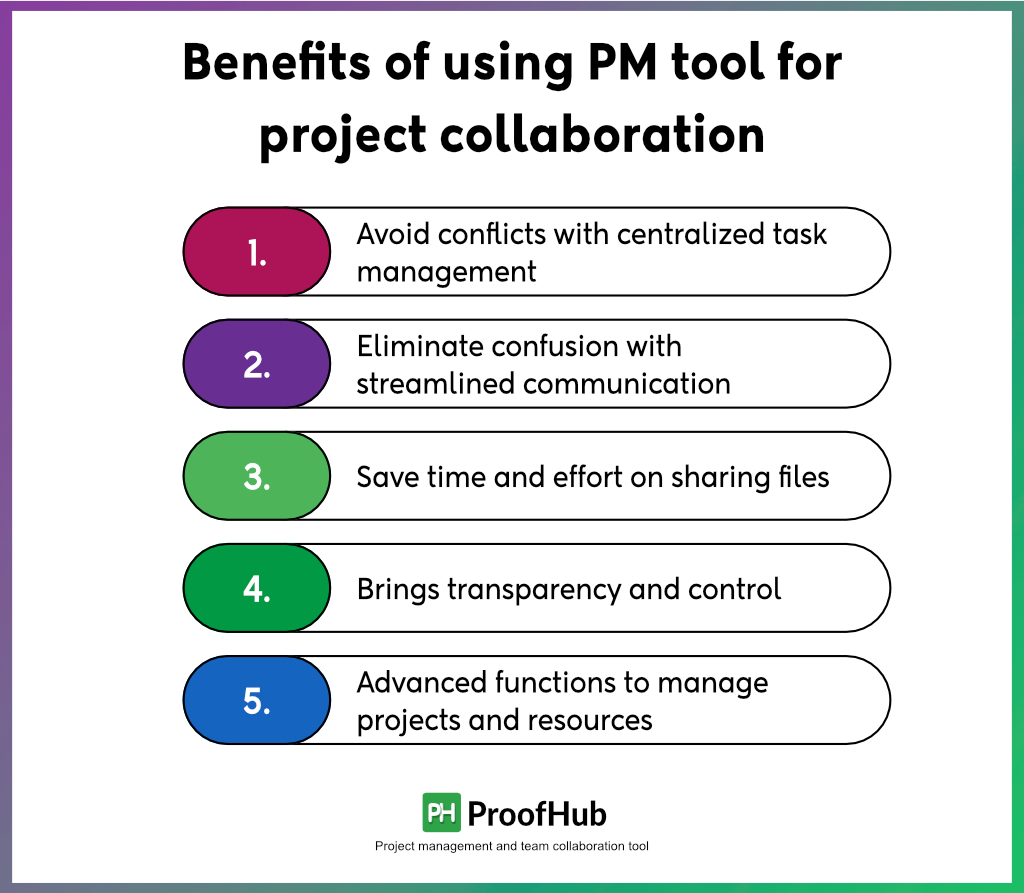
Credit: www.proofhub.com
Frequently Asked Questions
What Are Online Collaboration Tools?
Online collaboration tools are software applications that enable team members to work together remotely. They facilitate communication, file sharing, and project management. These tools help streamline workflows and improve productivity.
How Do These Tools Improve Communication?
Online collaboration tools improve communication by providing real-time messaging, video conferencing, and shared workspaces. They ensure everyone stays updated and aligned. This reduces misunderstandings and enhances team coordination.
Can These Tools Enhance Project Tracking?
Yes, online collaboration tools offer features like task assignments, progress tracking, and deadline reminders. They provide a clear overview of project status. This helps in timely completion of tasks and better project management.
Are Online Collaboration Tools Cost-effective?
Yes, online collaboration tools can be cost-effective. They reduce the need for physical meetings and travel expenses. They also improve efficiency and productivity, leading to better resource management and cost savings.
Conclusion
Online collaboration tools simplify project management. Teams communicate better and share updates easily. These tools offer a centralized platform for tasks. Deadlines are clear, reducing confusion. Teams become more efficient and productive. Success becomes more achievable. Start using these tools to enhance your project management today.
For All Types Of Lifetime Deal Offers Stay With Lifetimedealing.
